
 admin
admin You’ve turned on Screen Time. You’ve set app limits. Yet somehow, you still find yourself endlessly scrolling social media or watching short videos longer than planned. If this sounds familiar, you’re not alone. Screen Time limits often fail to stop doomscrolling—and there’s a clear reason why.
This article explains why traditional screen limits don’t work and what actually helps you regain control of your attention.
What Is Doomscrolling?
Doomscrolling is the habit of continuously consuming content on your phone—often without intention. It usually happens:
- Late at night
- During breaks that turn into long sessions
- When you’re stressed, bored, or tired
The problem isn’t just time wasted—it’s how easily doomscrolling hijacks focus, mood, and productivity.
Why Screen Time Limits Usually Don’t Work
1. They Rely on Willpower
Built-in screen limits can be bypassed with a tap or a passcode. When you’re tired or stressed, willpower is at its weakest, making it easy to ignore the warning and keep scrolling.
2. Apps Are Designed to Keep You Hooked
Social and video apps are engineered to encourage continuous use:
- Infinite scroll
- Autoplay videos
- Personalized content feeds
These features override good intentions—no matter how strong your limits are.
3. Digital Barriers Are Too Easy to Ignore
Because Screen Time limits are purely digital, there’s no real pause or friction. Your brain barely notices the barrier before continuing the habit.
The Missing Piece: Physical Friction
Behavior change becomes easier when there’s a moment of pause—something that forces you to stop and think before continuing. This is where most screen-limiting tools fall short.
Instead of relying only on software, more people are turning to physical interruption to break phone habits.
A Smarter Way to Break the Doomscrolling Cycle
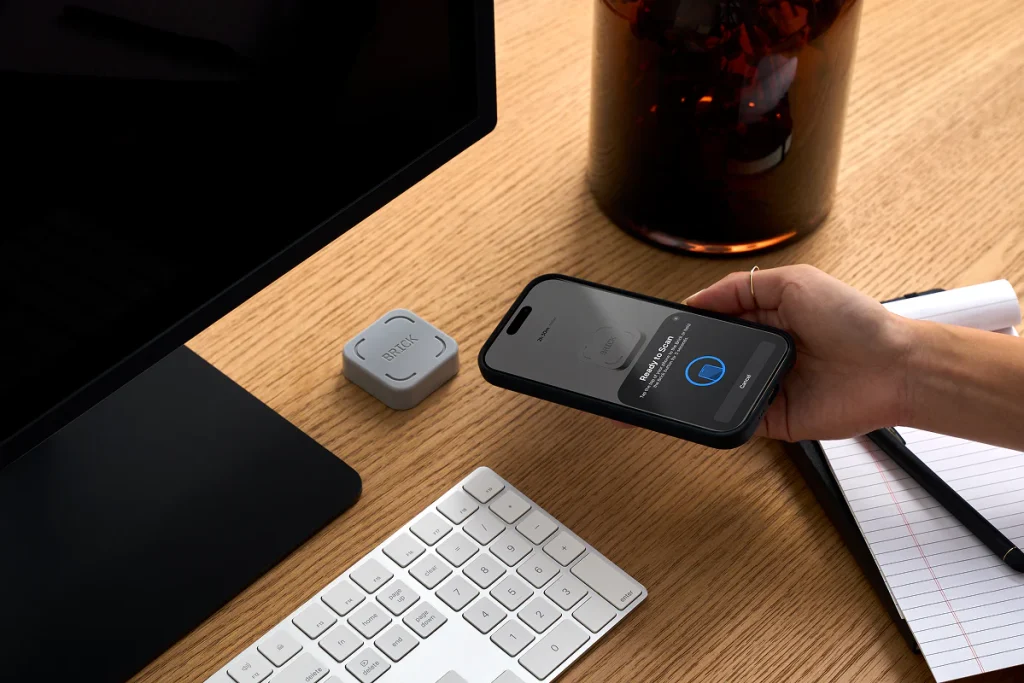
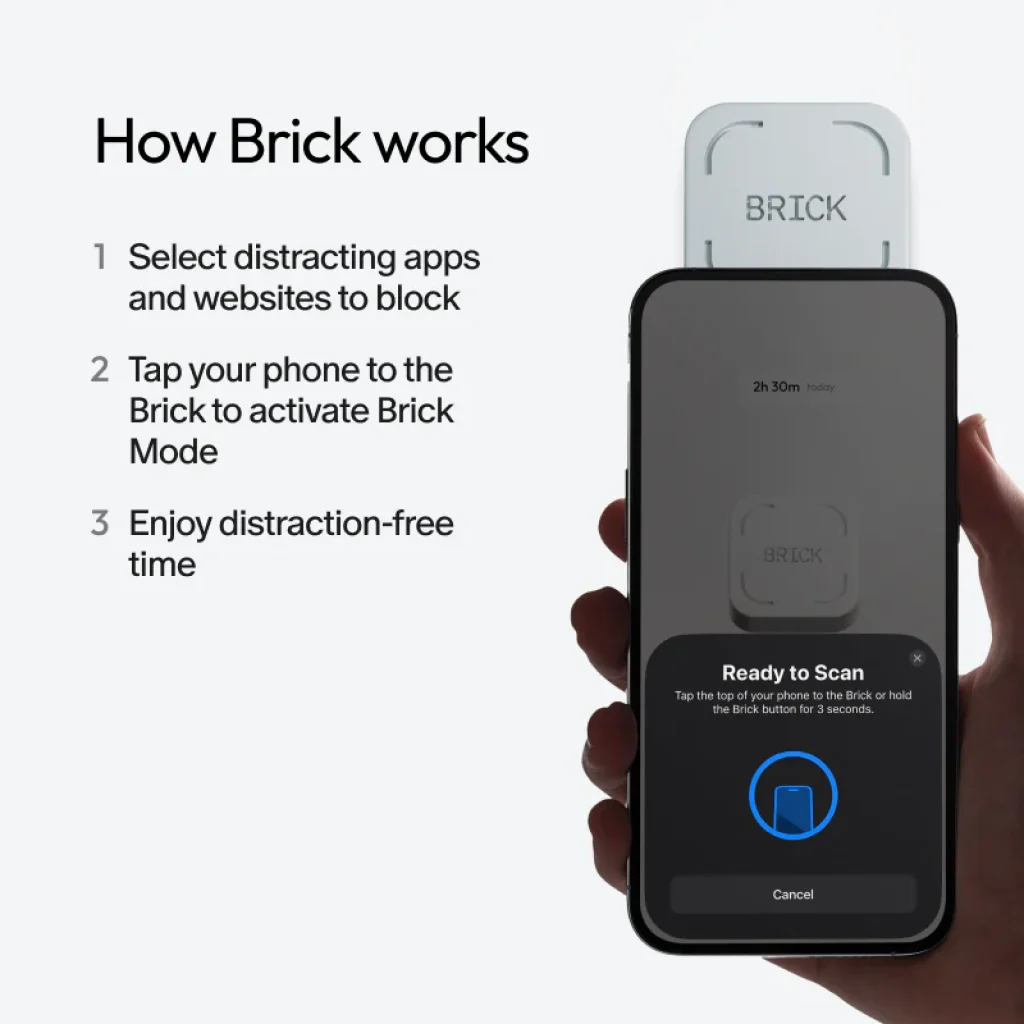
Tools like Brick introduce a simple but powerful concept:
👉 You must physically interact with a device to unblock distracting apps.
How this helps:
- Creates intentional friction before unlocking apps
- Makes mindless scrolling less automatic
- Encourages conscious decisions about phone use
This small pause is often enough to stop the habit loop entirely.
Why Physical Barriers Work Better Than App Limits
Physical actions activate awareness. When you have to stand up, walk over, and unlock apps intentionally, your brain has time to reconsider.
Benefits include:
- Reduced impulsive phone use
- Better focus during work or study
- More presence during family or personal time
It’s not about restriction—it’s about regaining control.
Practical Steps to Reduce Doomscrolling (Starting Today)
You don’t need to quit your phone entirely. Try these steps:
- Identify your most distracting apps
- Create focus modes (Work, Study, Sleep, Family)
- Add friction before accessing distractions
- Keep your phone out of reach during deep-focus periods
- Use tools that support intentional phone use—not just limits
Consistency matters more than perfection.
Who Benefits Most From This Approach?
This method works especially well for:
- Remote workers and freelancers
- Students who struggle with focus
- Parents wanting more present family time
- Anyone feeling mentally drained by constant scrolling
Final Thoughts
If you’re still doomscrolling despite Screen Time limits, the problem isn’t your discipline—it’s the system. Digital limits alone aren’t enough in a world designed for distraction.
By introducing physical friction and intentional pauses, you can finally break the scrolling cycle and reclaim your focus.
Reducing screen time isn’t about doing less—it’s about living more deliberately.